Become a Service Provider on Complete a Task Nigeria


Want to be your own boss and earn money doing what you love?
Join Complete a Task, Nigeria’s #1 online service marketplace, and connect directly with customers who need your skills. Whether you’re a cleaner, electrician, designer, driver, or freelancer — there’s always someone looking for your services.
Getting started is easy: Sign Up – Create your free Tasker profile on Complete a Task.
 Verify Your Skills – Add your experience and service details.
 Start Earning – Accept tasks, complete them, and get paid securely.
At Complete a Task, you choose when and where you work — full-time, part-time, or weekends. It’s flexible, transparent, and built for Nigerians who want financial independence.
 Start today — take control of your time, your income, and your future!
 Start today — take control of your time, your income, and your future!
Service Provider’s Dashboard
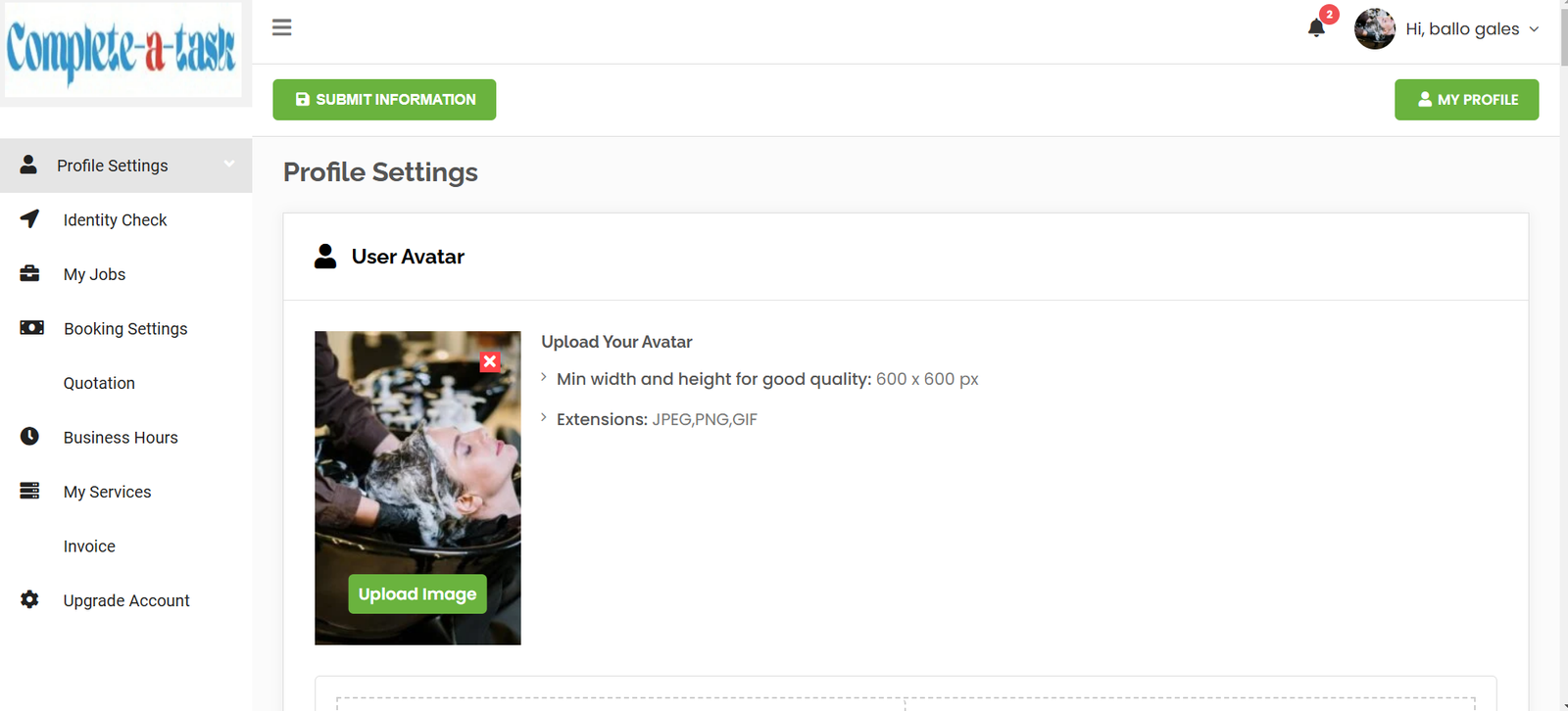
Profile Settings
Radius for Service Area – Radius can be set from 0 to 1000 miles depending on your customer base.
Social media – You can include your social media handle with your profile.
Password Update – You can change or update your password.
Category – You can choose your business primary category and is limited to 10 depending on what your offers are
Amenities – Amenities are for physical appearance in your business location. What you provide to customers when they visit your business example; parking, toilet, accept payment cards etc.
Cover Image – Provide cover image for your business on the website to look more professional to customers
Gallery Images – Provide gallery images so that customers can have a better idea of your services.
Attachments – You can attach professional or association certificates relating to your business.
Embeded Code – you can insert a video link URL like YouTube or Vimeo to showcase your expertise.
Identity Check – Documentation required to open an account as a service provider (upload documents).
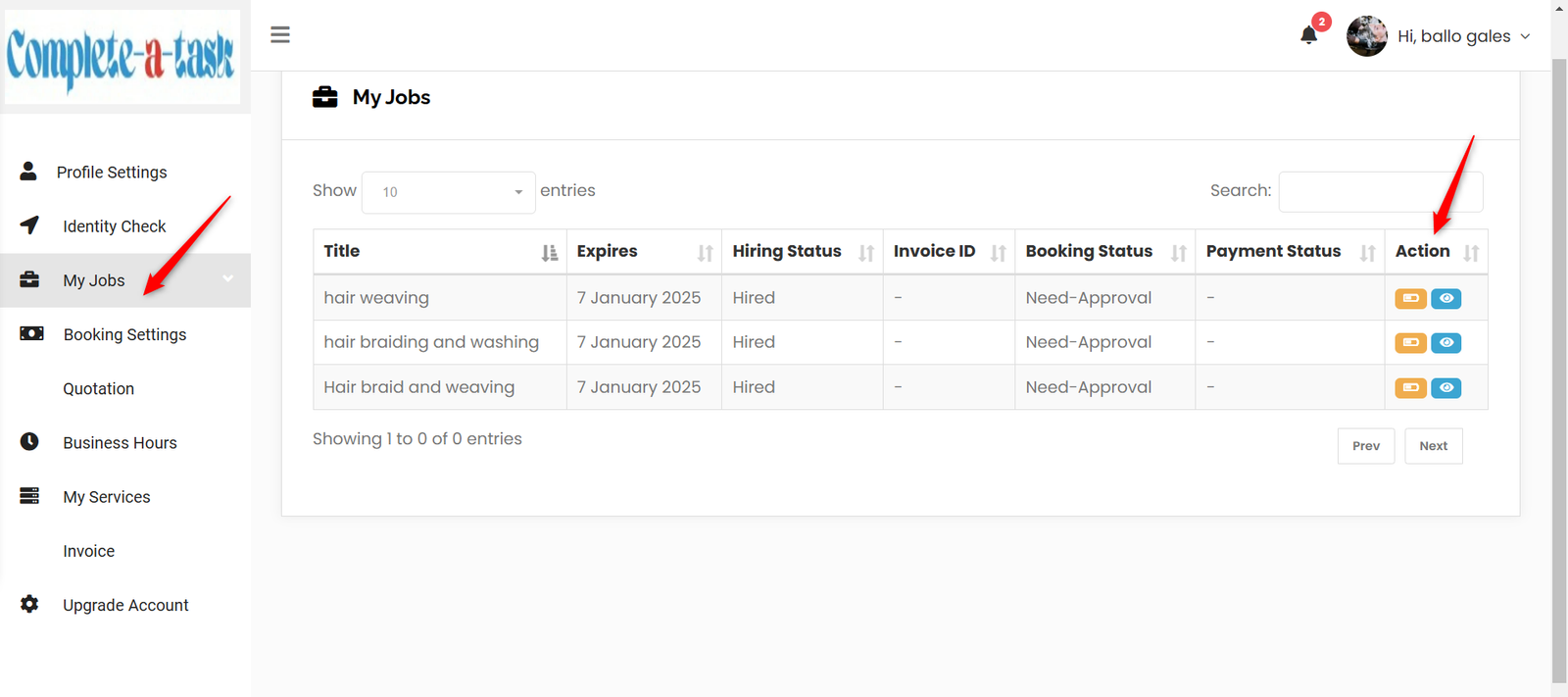
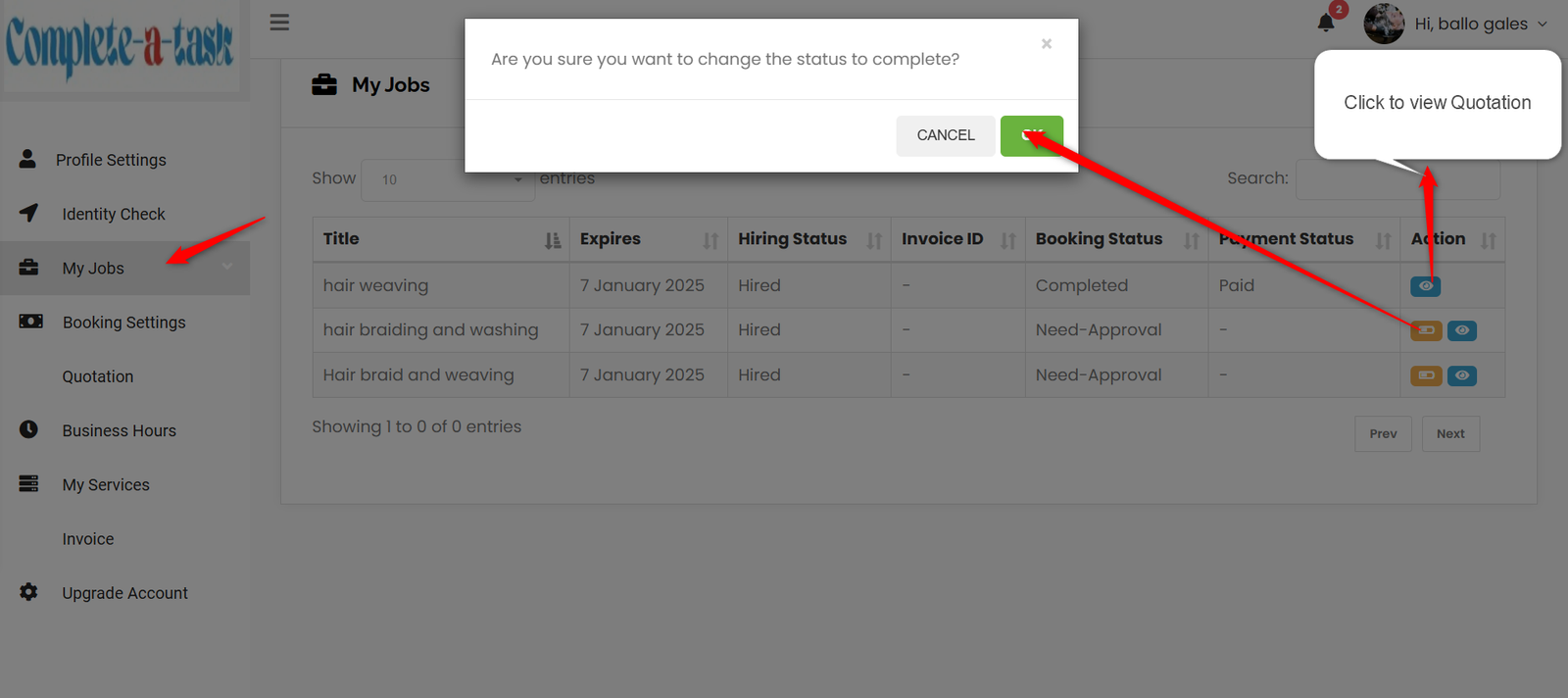
My Jobs – All Jobs applied for by the service provider can be seen here, it includes the Title, Expiry, Hiring Status, Invoice ID, Booking Status, Payment Status and Action. The ACTION section is where a service provider Mark a Task As Complete to get paid (orange icon) and can also view a quotation (blue icon).
Booking Setting – In this section you should only select Availability Based On, Slot Interval, Availability for Future Bookings and Buffer Time for Bookings, and leave the rest untouched. Enter your complete bank account details for payments.
Quotation – Any quotes between a service provider and a customer will appear here.
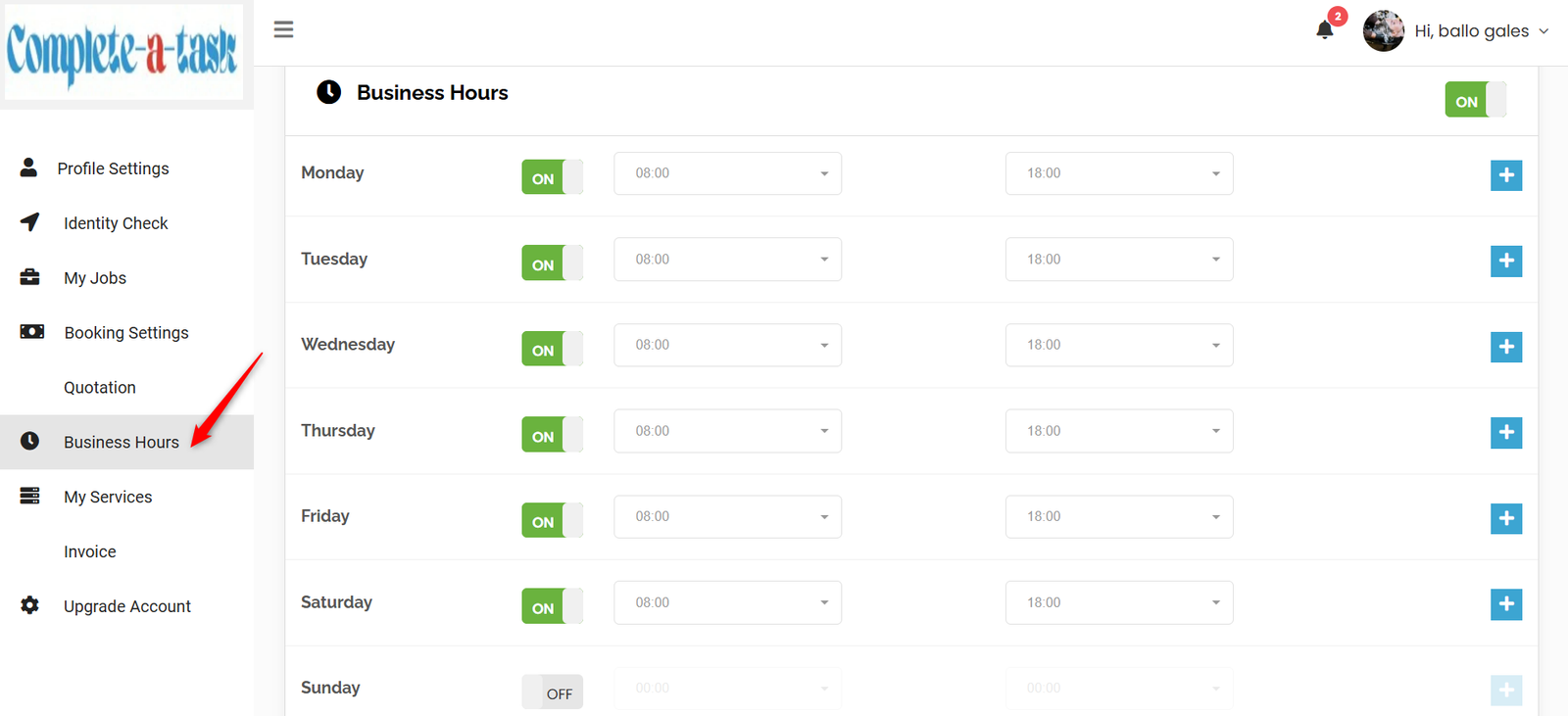
Business Hours – You can set your business hours and days to suit your business operations.
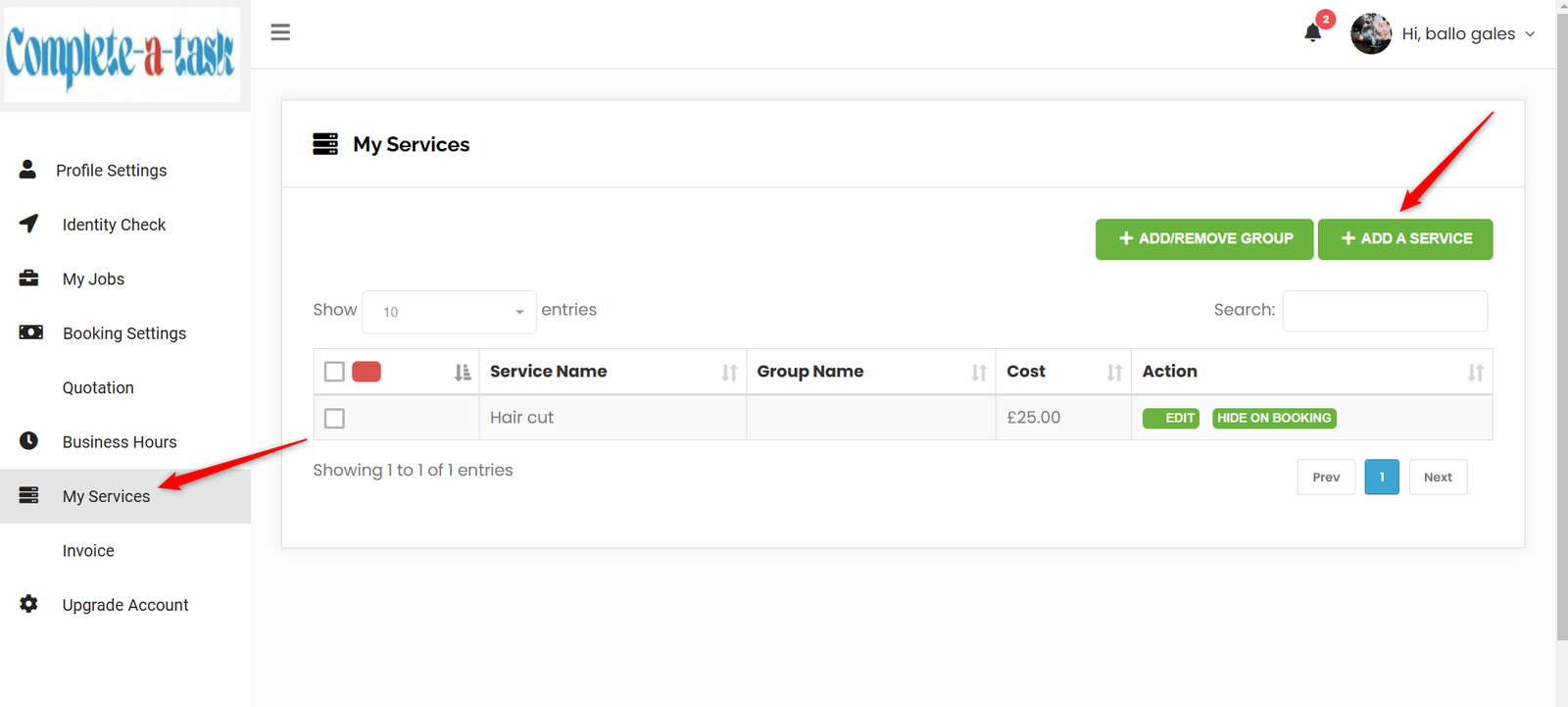
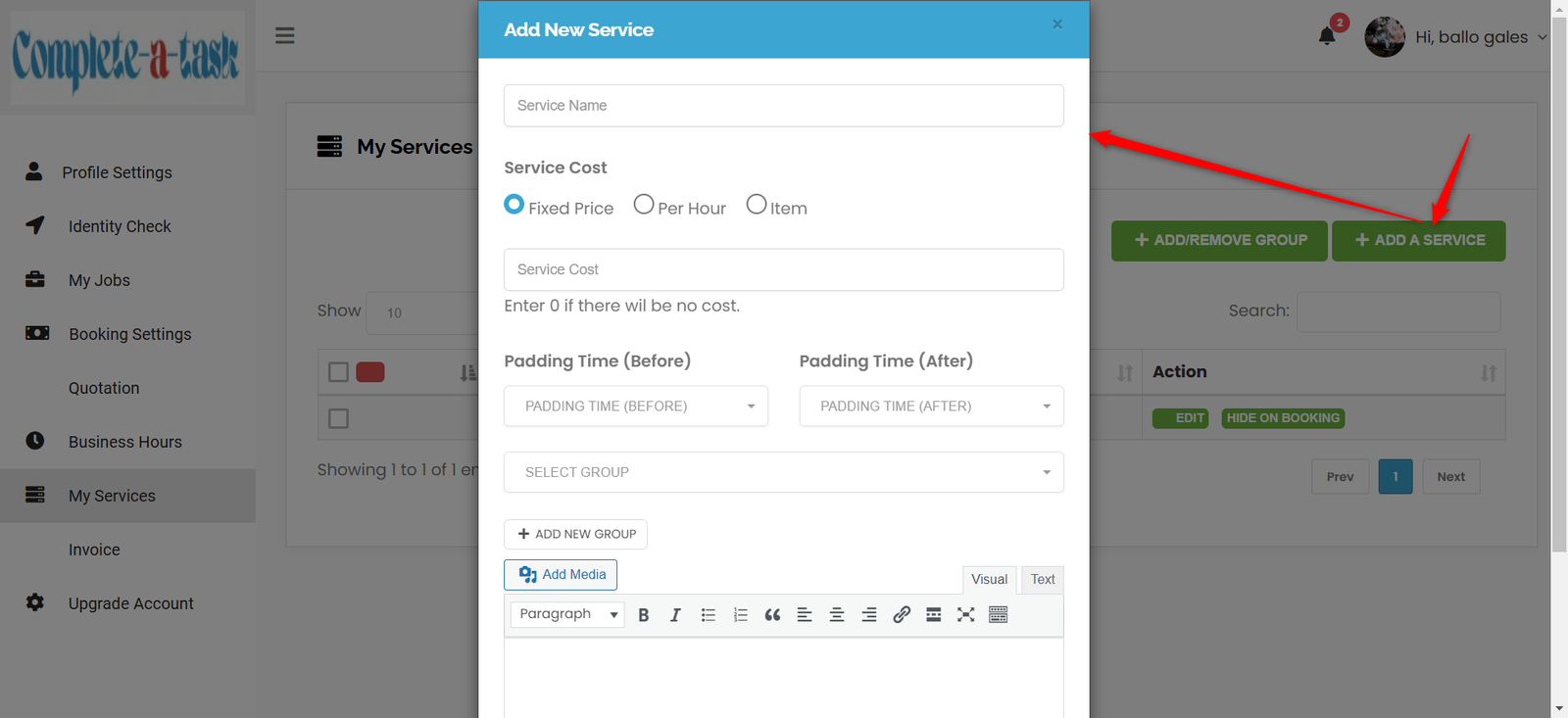
My Services – You can added as many services that you want to offer to your customers by clicking My Services from the dashboard, from the window click ADD A SERVICE.
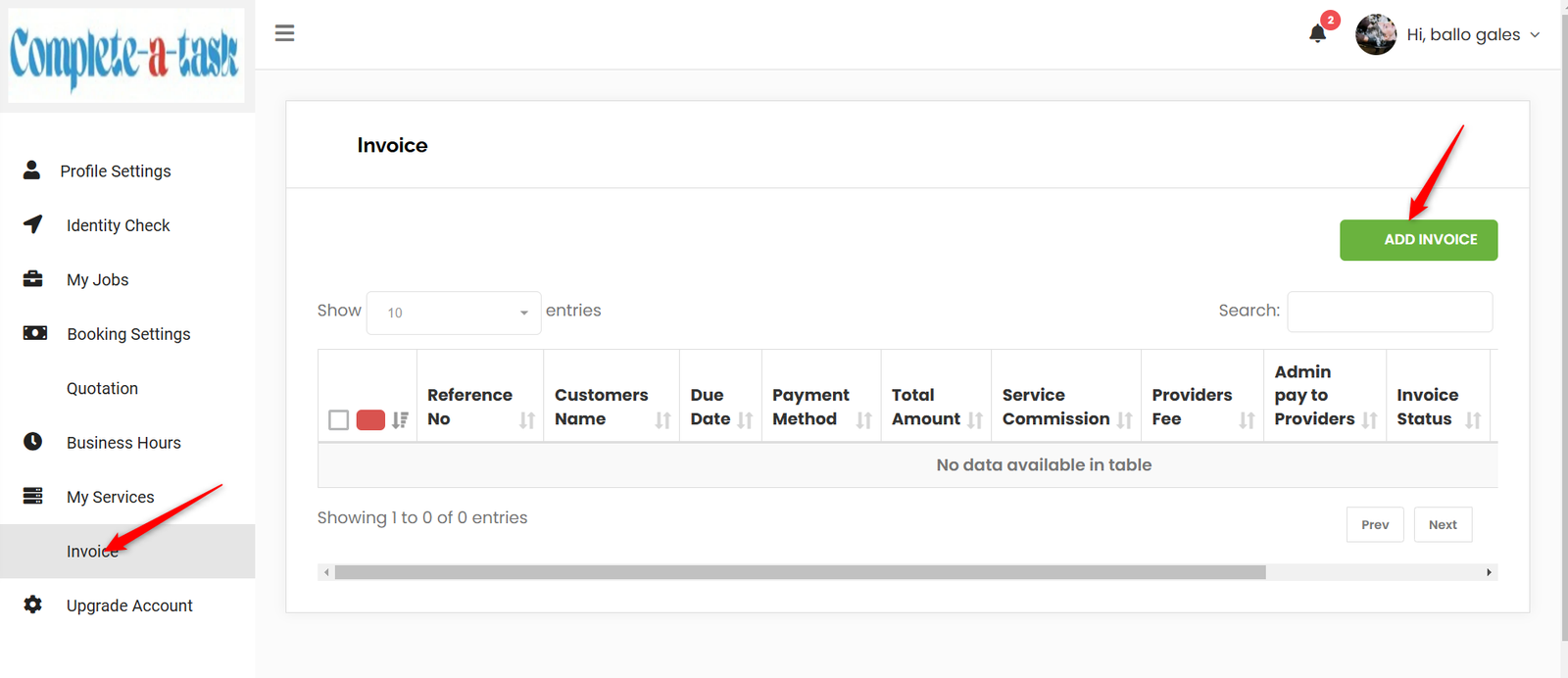
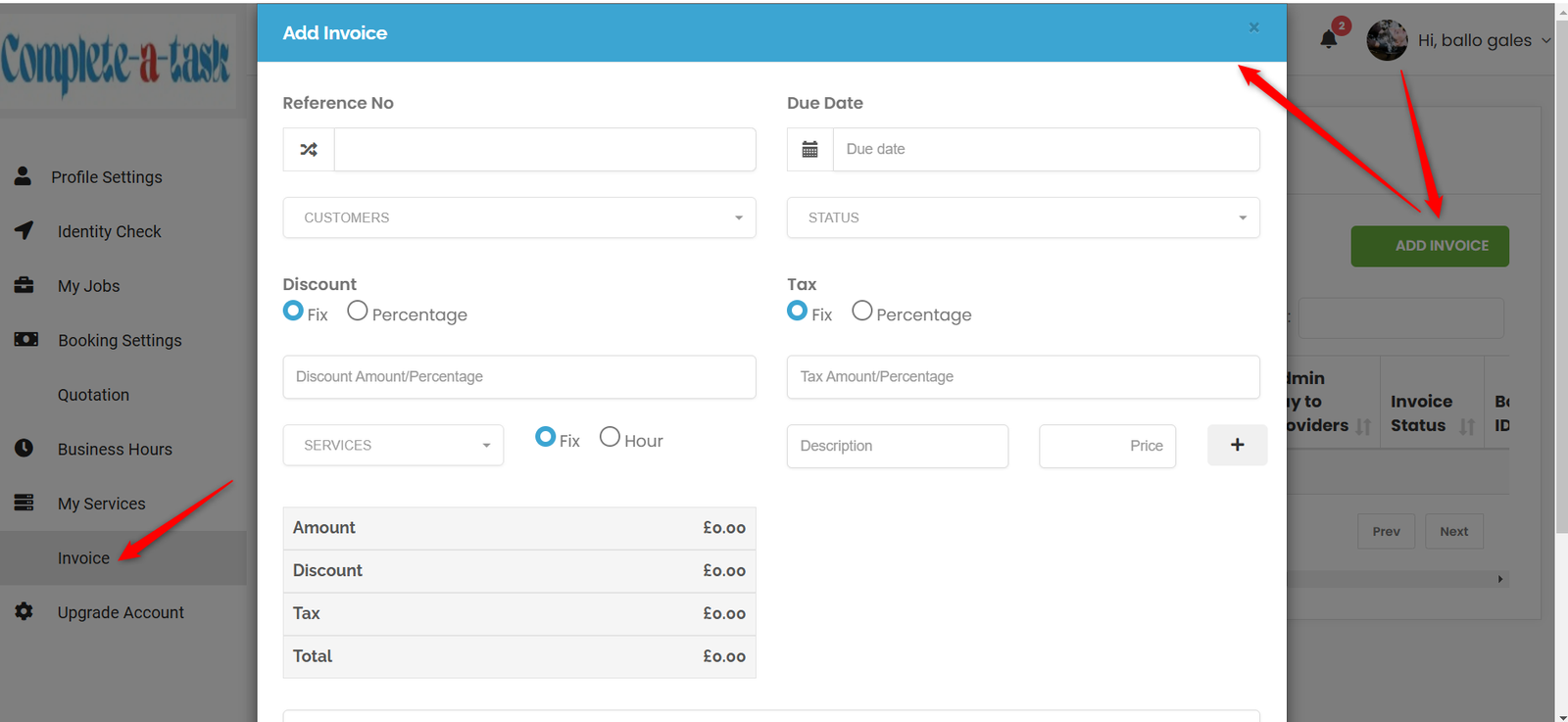
Invoice – This section is where invoice can be generated click on Invoice on the menu and also by clicking on ADD INVOICE at the top right hand corner, the invoice can then be created.
Upgrade Account – Submit a request to the admin to become FEATURED on the platform as a service provider, for more visibility, this is a premium service.
JOB GUIDE
Find Jobs Posted
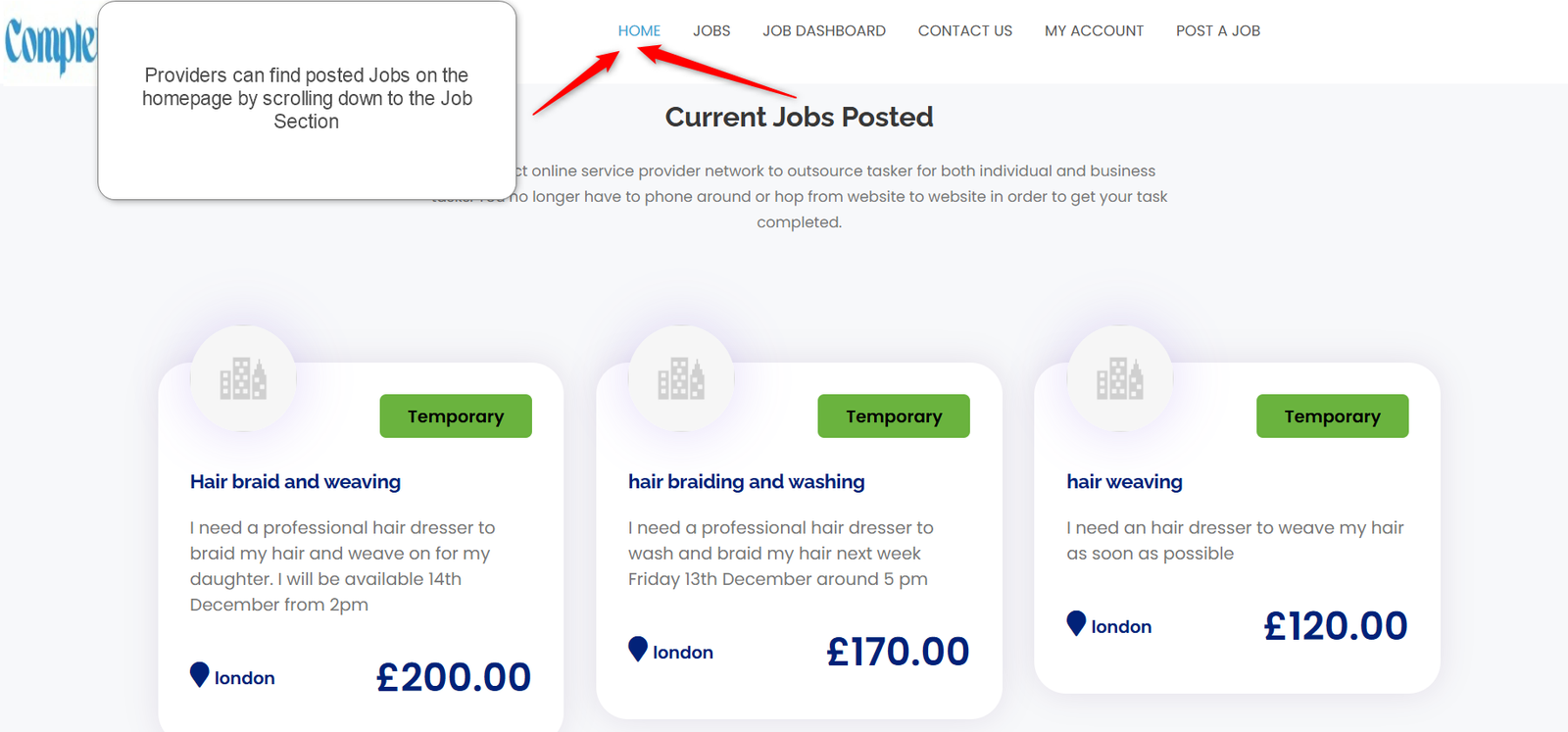
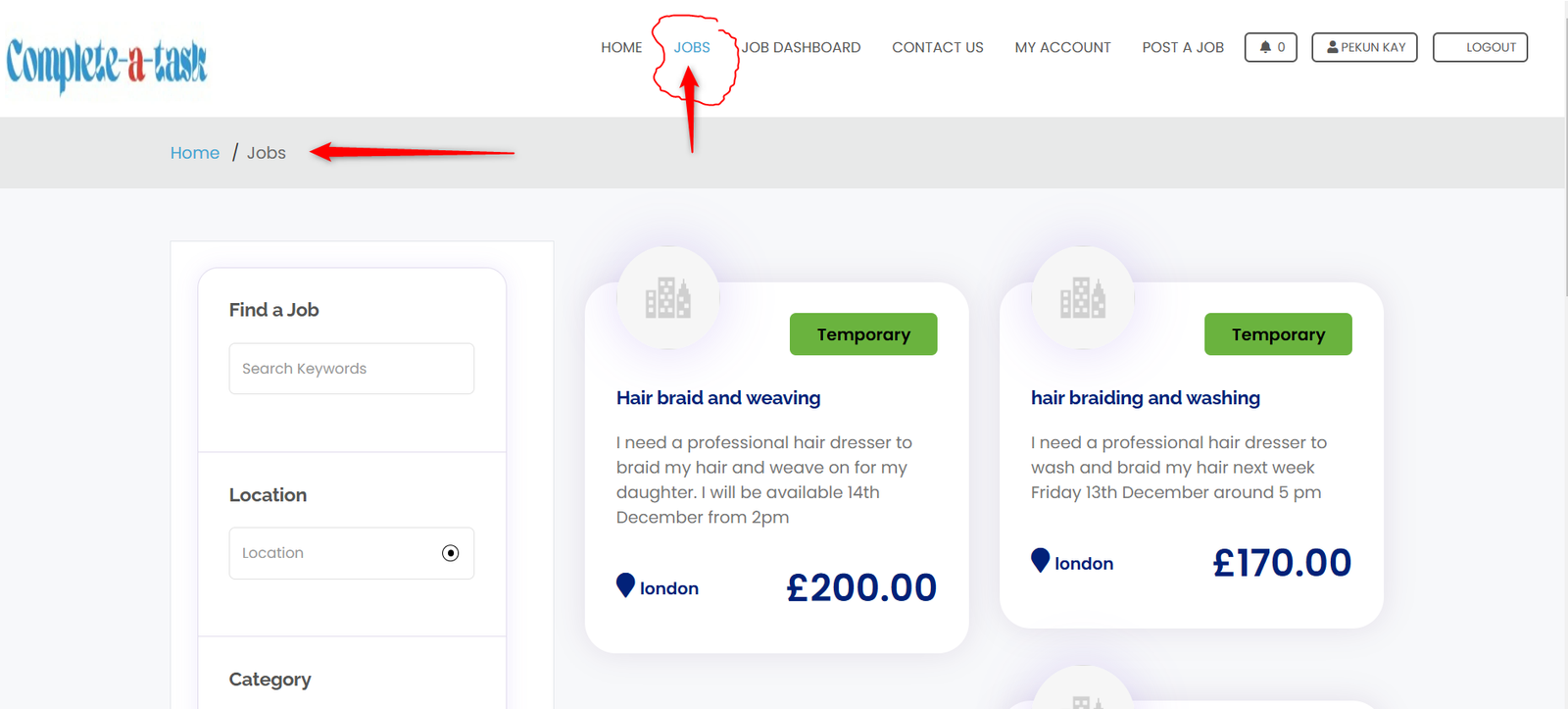
Service providers can find Jobs posted on the homepage by scrolling down to the jobs section (Current Jobs Posted) or by clicking JOBS from the menu at the top of the homepage, this is the two places where Jobs are posted and can be applied for.
Applying for a Job or Task
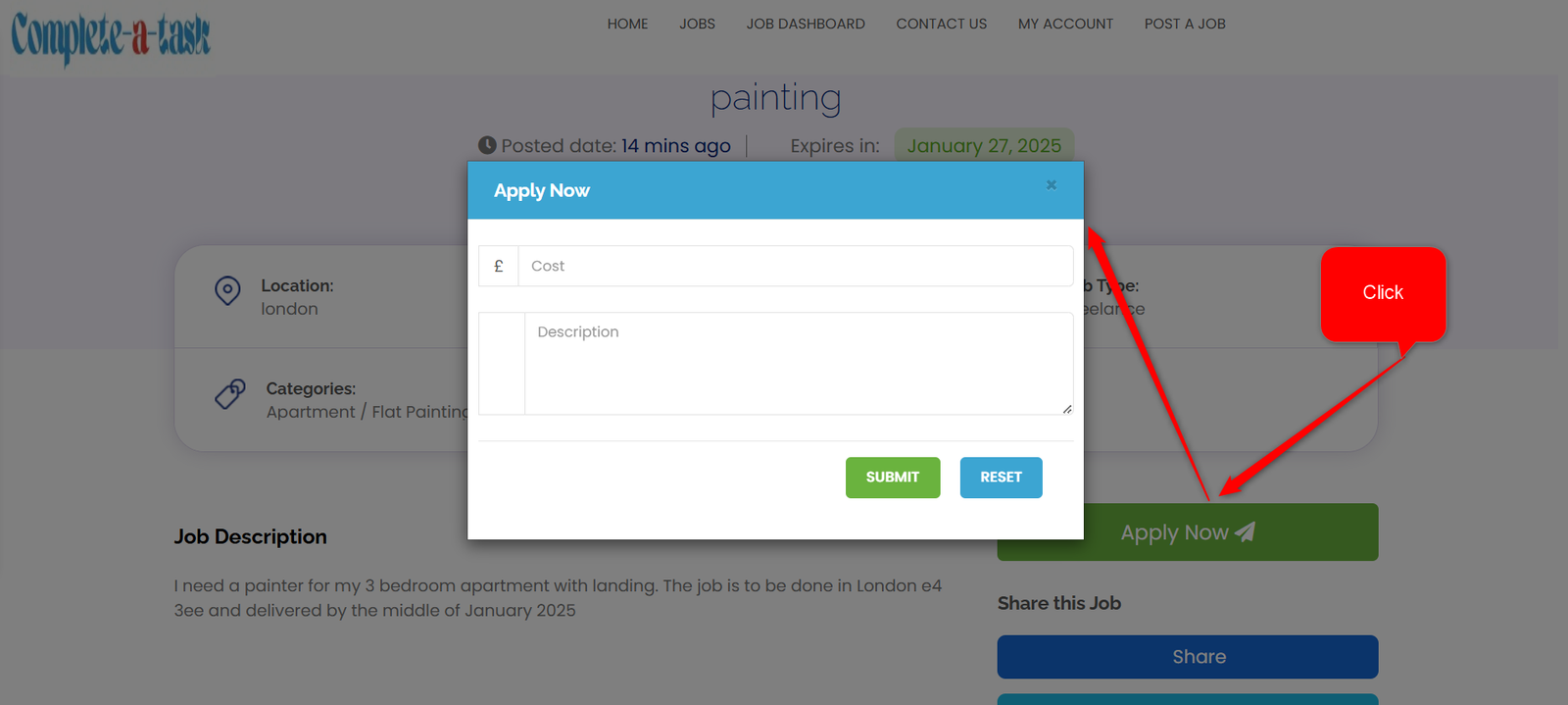
Jobs can be applied for, at the same locations (Find Jobs Posted) as above ( Home or JOBS from the top menu), click on Apply Now and cost the task and write a brief description of what will be expected to complete the job.